
The most useful starting point is a simple 1–10 or 11–20 printable activity. Use the official Blocks Universe activity pages for source material, preview the page before printing, and let the child color first and explain the number pattern second. Our page is an independent guide; it is not an official Numberblocks download library.
Which Numberblocks coloring pages should you print first?
A search for Numberblocks coloring pages can mean several different things: a child may want one large number to color, a parent may want a quiet printable activity, or a teacher may want a page that supports counting practice. Choosing the range before opening the printer dialog keeps the activity short and makes the finished page easier to talk about.
For a first session, 1–10 is usually the clearest range because each number can be counted directly and compared with the page beside it. Once the learner can name the numbers without prompting, an 11–20 set adds a useful next step: the child can look for groups of ten, compare two-digit numbers, and notice that a larger number does not have to mean a more complicated coloring plan.
The table below is an editorial planning guide. It does not claim that every official activity page uses exactly these ranges. Check the official resource page itself for the current file or activity description before printing.
| Range | Good first use | Prompt to ask after coloring |
|---|---|---|
| 1–10 | Counting, one-to-one matching, and simple color choices | Can you point to the number that comes before 6? |
| 11–20 | Teen numbers, groups of ten, and comparing size | What stays the same when you move from 12 to 13? |
| 21–30 | Extension work for learners who want bigger numbers | Can you show the number as a group of ten plus ones? |
Use official activity resources safely
Blocks Universe is the best place to check for current official Numberblocks activities. Its activity pages can change over time, so a dependable workflow is to open the official activity hub, choose the level that fits the learner, and follow the page's own preview or download instructions. That is safer and more useful than copying a random image from a search result whose origin is unclear.
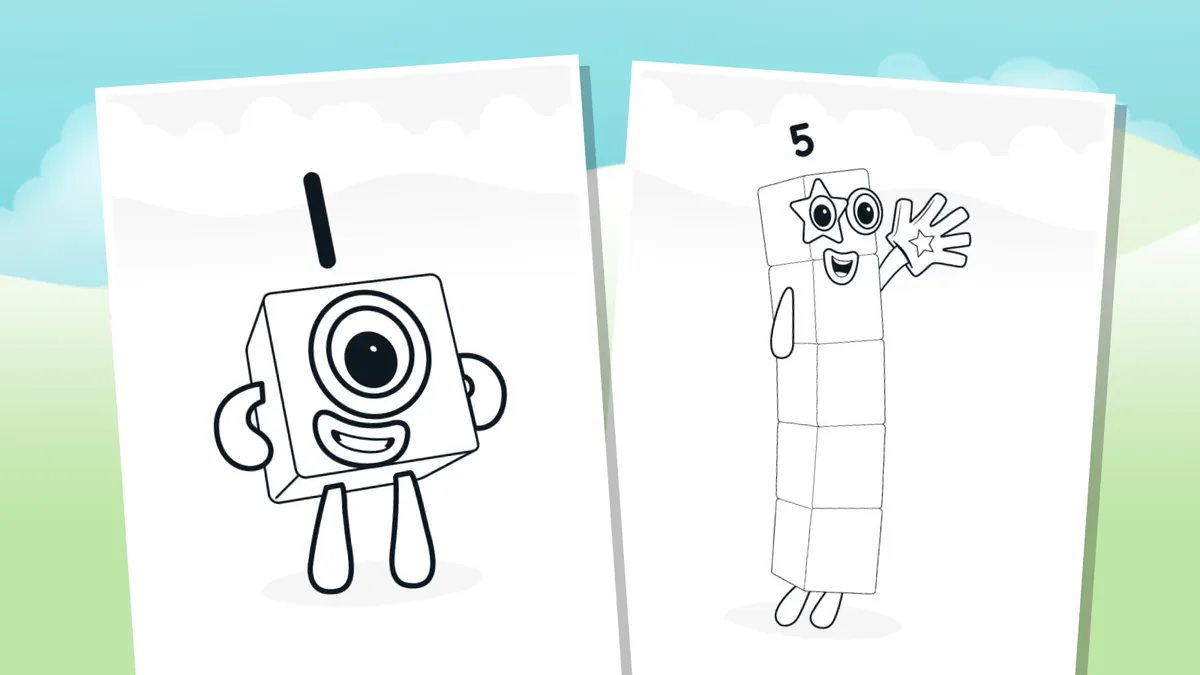
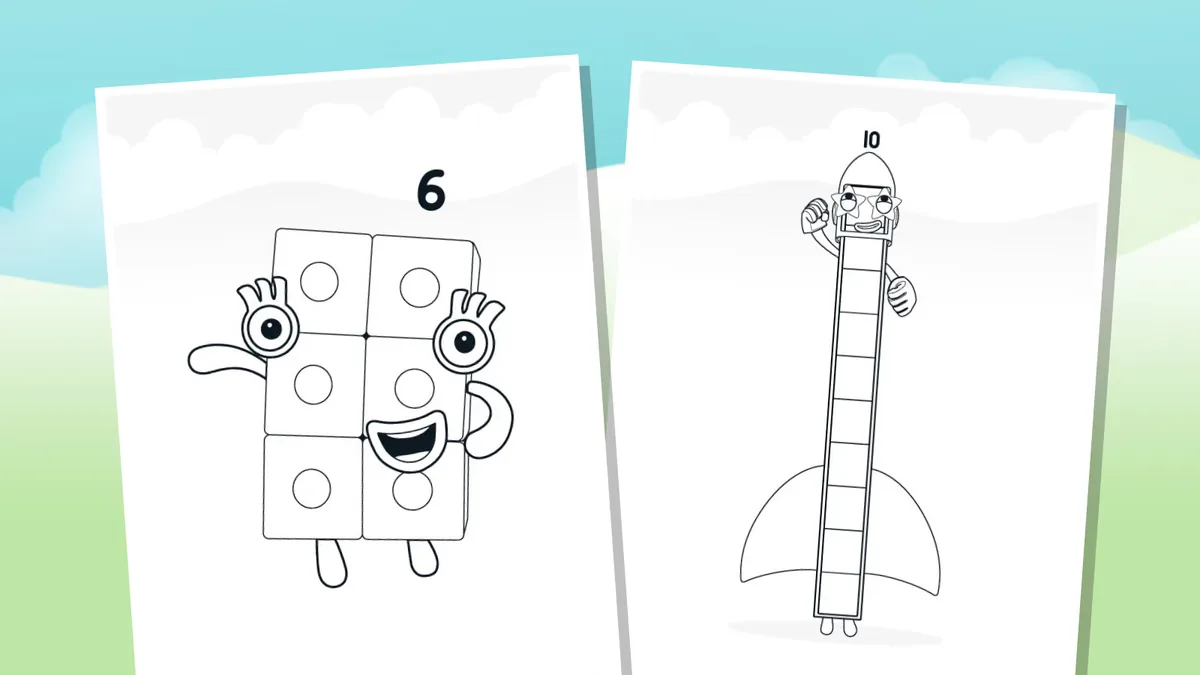
The previews below are included to show the kind of visual structure a printable activity may use: high-contrast outlines, a small number of shapes, and enough empty space for crayons or pencils. They are not screenshots of this site, and they are not evidence that Numberblocks Generator is affiliated with Blocks Universe, BBC, CBeebies, or any official rights holder.
If you are preparing a classroom handout, keep the source credit with the file or activity page. Do not remove a rights notice, repackage official artwork as your own printable bundle, or label an independent worksheet as an official Numberblocks product. When the official page is unavailable, use a plain counting or block-grouping activity instead of guessing at a missing file.
- Blocks Universe Numberblocks homeOfficial starting point for current Numberblocks information and activities.
- Blocks Universe Level 1 activitiesOfficial activity page for early counting and number recognition.
- Blocks Universe Level 2 activitiesOfficial activity page for a wider number range and follow-up practice.
How to print Numberblocks coloring pages clearly
A printable activity can fail even when the source file is good. Thin outlines disappear on a low-ink printer, a page can be cropped by a browser's default margins, and a full-color preview may look too dark when converted to grayscale. A quick preflight takes less than a minute and usually saves more paper than reprinting a page later.
Use the source page's own download or print control when it has one. If the page opens a PDF, check the page preview before selecting Print. Choose actual size or fit to printable area according to the preview, and avoid stretching a small image across an entire sheet because enlarged outlines can become soft. For ordinary home use, black-and-white or draft mode is often enough: the learner supplies the color, while the printer only needs to preserve the outline.
Open the source
Start from the official activity page or a clearly credited file. Confirm that the page is about Numberblocks before saving or printing.
Preview the paper
Check the page orientation, margins, outline thickness, and whether the number labels remain readable at A4 or Letter size.
Choose a range
Print 1–10 for a short first activity, or select 11–20 when the learner is ready to compare teen numbers.
Print one test
Use draft or grayscale mode for the test sheet. If the line art is faint, switch to normal quality rather than enlarging the file repeatedly.
Add one prompt
Ask for a count, a comparison, or a group of ten after coloring. One focused question keeps the page playful instead of turning it into a worksheet overload.
Turn coloring into a counting activity
Coloring works best when the math prompt stays small. You do not need to turn every Numberblocks coloring page into a formal lesson. A single question about order, quantity, or grouping gives the learner a reason to look closely at the page while keeping the creative part in charge.
Try the activity before correcting anything. Ask the learner to explain why two pages feel different, what number comes next, or how many blocks they can count without touching each one. If the answer is incomplete, point to one visual clue and let the child try again. The goal is not to force a perfect worksheet answer; it is to connect the visible block arrangement with the number word.
Use one color family for numbers 1–5 and a second family for 6–10. Ask whether the color pattern helps the learner remember the order, then allow a free-color version afterward.
Place two finished pages side by side and ask which has more, which has fewer, and how the learner knows. This works even when the pictures use different colors.
For a larger number, ask the learner to circle a group of ten and identify the leftover ones. Keep the mark-up on a copy so the original coloring page stays clean.
Use color, grouping, and the generator together
Coloring pages and a number generator serve different jobs. A coloring page is slower and more tactile: it gives the learner time to notice outlines, number labels, and repeated shapes. The generator on this site is quicker and more flexible: it can create a fan-made block arrangement for a chosen number so you can compare examples without pretending that the result is official Numberblocks character art.
A useful sequence is to color a small range first, then open the Numberblocks Generator for one nearby number. Compare the two arrangements and talk about what changed. For example, a learner who colors a page for 6 can generate 7 and look for one extra block or a new grouping. The comparison is a creative prompt, not a replacement for the official activity file and not a claim about how the television characters are designed.
| Need | Use a coloring page | Use the generator |
|---|---|---|
| Slow observation | Yes: outline, color, and number recognition | Only as a quick comparison |
| A custom number | Only if the source includes it | Yes: choose a number and preview a fan-made arrangement |
| Official character art | Follow the official source page | No: the generator is abstract and independent |
| Classroom discussion | Use the finished page as a visual prompt | Use nearby values to compare groups and factors |
What Numberblocks coloring pages can and cannot do
A printable page is a useful activity surface, but it is not a complete curriculum and it does not guarantee that a child understands a number just because the page is finished. Watch the explanation as well as the coloring: can the learner name the number, count the visible groups, and compare it with a nearby number? If not, shorten the range and return to a simpler prompt.
Results can also vary by printer, paper, and source format. A web preview may use color while the downloaded file is designed for black-and-white printing. Some pages may be intended for a particular level or activity sequence. Read the source page, keep the original credit, and avoid presenting third-party or AI-created art as an official screenshot.
This guide is educational and editorial. It does not provide a new official Numberblocks PDF, does not promise that every external file will remain available, and does not replace the rights holder's current instructions. If a resource link changes, return to the official Blocks Universe hub and use the current activity page instead.
Numberblocks coloring pages FAQ
Where can I find official Numberblocks coloring pages?
Start with the official Blocks Universe Numberblocks home and activity pages. Use the current page's own preview or download instructions, because files and activity groupings can change. This site links to official sources but is not an official Numberblocks download library.
Are there Numberblocks coloring pages for 1–10 and 11–20?
Those are useful planning ranges for a printable activity. The exact files available depend on the official activity page you open. Use 1–10 for first counting practice and 11–20 for comparing teen numbers and groups of ten.
How do I print Numberblocks coloring pages without cutting off the outline?
Preview the page, choose actual size or fit to printable area based on the printer preview, and print one test sheet first. If the outline is faint, use normal quality or slightly heavier paper instead of stretching a small image repeatedly.
Can I use these pages for a classroom activity?
You can use the official resource according to its source-page instructions and keep the credit or rights notice visible. For a classroom handout, add your own short counting prompt rather than republishing or relabeling official artwork as your own.
How can I use a coloring page to practice counting?
Ask one focused question after coloring: which number comes next, which page has more, or how can the learner show a group of ten? Let the learner explain the visual clue instead of correcting every color choice.
Is the Numberblocks Generator an official Numberblocks tool?
No. The generator on this site is an independent fan-made, abstract planning tool. It does not copy official character art, voices, songs, or episodes, and it should not be described as an official Numberblocks product.
A better printable activity is simple and source-aware
Choose a manageable range, check the official activity page, preview one sheet, and let the learner connect color with a small counting or grouping question. That process is more useful than collecting a large folder of unverified images.
For custom number comparisons, link the finished page to the independent Numberblocks Generator without confusing the two roles: official activity resources provide the source material, while the generator supplies an abstract creative prompt.